Where I came in
A B2B subscription platform for beauty salons that automates client communication: broadcasts, message templates, notifications, referral programmes and an AI assistant for writing texts. The team’s focus — active audience, conversion to payment, and features that bring a salon tangible value.
When I joined, the account had a list of UX problems that all hit conversion, retention and revenue:
Impact overview
Measured on funnels, heatmaps and support tickets after each release.A payment page without guesswork
Options were hard to find, the subscription logic was unclear and the error rate was high. I ran research, built a payment CJM, simplified the flow into logical steps, put the main CTA first, clarified subscription statuses and added hints, automatic checks and safe fallbacks.
Customer journey map
Scroll →| Stage | Realising the need | Exploring | Choosing plan & add-ons | Paying | Setting up the bot | Using & renewing |
|---|---|---|---|---|---|---|
| Goal | Find a tool to automate client messaging | Understand how the product works and what it offers | Pick the right plan and add-ons | Pay for the subscription | Set up the bot and launch it | Judge the value, adjust, renew |
| Channels | Colleagues, ads, search, website | Website, reviews, support | Account, pricing page | Account, payment page | Product UI, guides, support | Account, email notifications |
| Thinks | “I lose clients because I can’t reply in time” | “Which features do I really need?” | “I don’t want to pay for extras” | “Did I get the total right? Hope there are no hidden fees” | “Is everything set up correctly?” | “Is it worth continuing?” |
| Pains | No time for every booking; missed messages; admin overload | Unclear what each plan includes; fear of overpaying | Complex plans; unclear bonus weeks; confusing channel add-ons | Autopay charges monthly even on a long plan; total hard to calculate; hidden fees | Long setup; unclear messenger integration steps | No expiry reminders; weak analytics; awkward plan changes |
| Opportunity | Show the product as the easy way to automate | Plain-language plans, a cost calculator | Simpler plan selection | Transparent breakdown, autopay options | Step-by-step guide, video tutorials | Renewal reminders, flexible plan settings |
Every branch — trial, renewal, plan change, add-ons only, failed autopay — leads to one screen with a persistent summary.
The core feature, rebuilt
Templates were rarely used: creating one was hard and the list had no structure. I introduced categories, filters and statuses, turned creation into a step-by-step wizard with a live chat preview, reworked the editor and added AI text improvements — fixing errors, translating, rephrasing.
The cardinal changes, screen by screen
Pick a screen, then switch between the old interface and the redesign. Every “after” screen is the shipped design; “before” is the version users had when I joined.
One endless form became a 4-step wizard
After launch, analytics showed people abandoning the long creation form halfway. I split it into four focused steps — send mode, recipients, message, advanced — each validated before moving on, and added a live block-risk score that explains how to make a text safer before it’s sent.
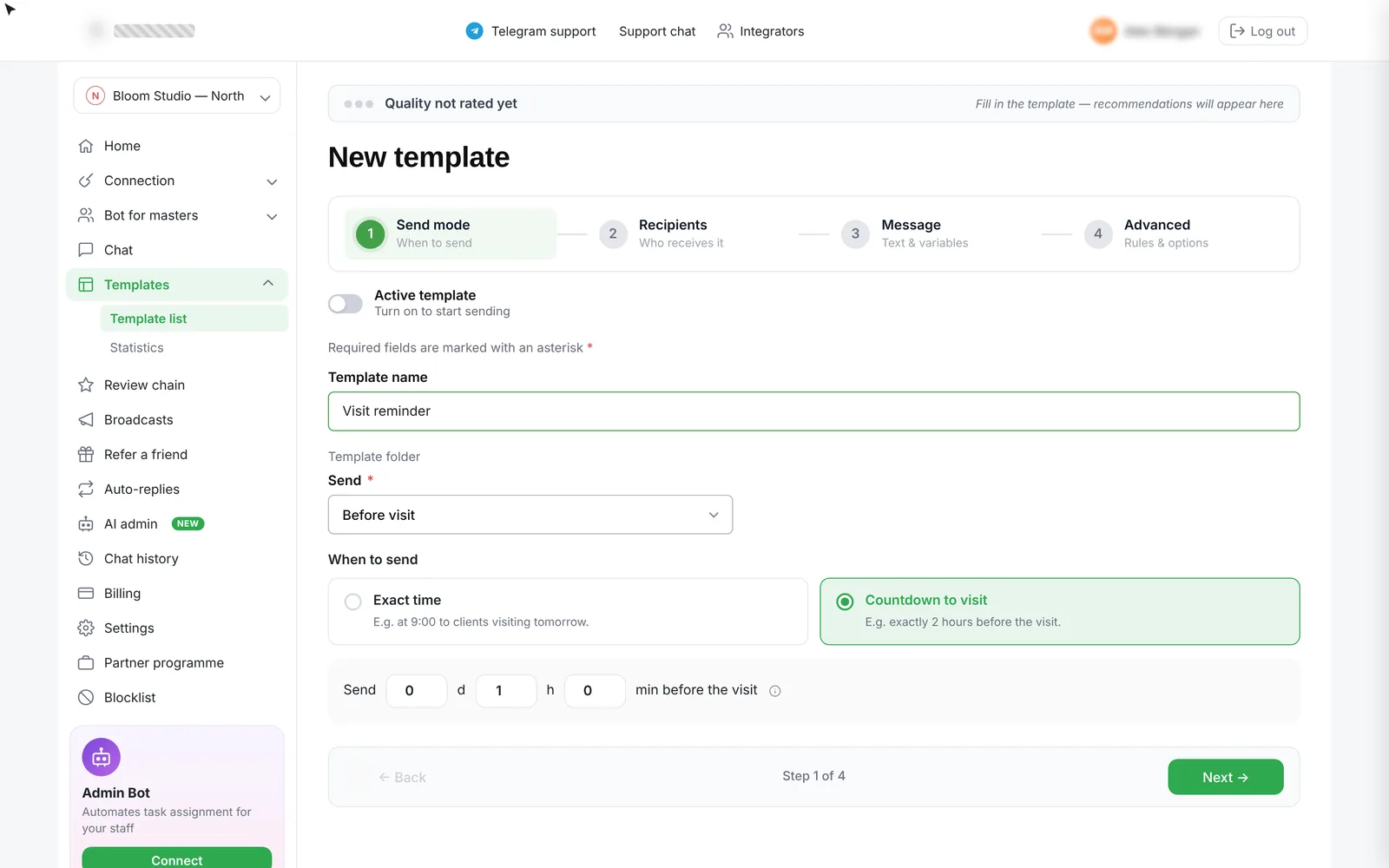
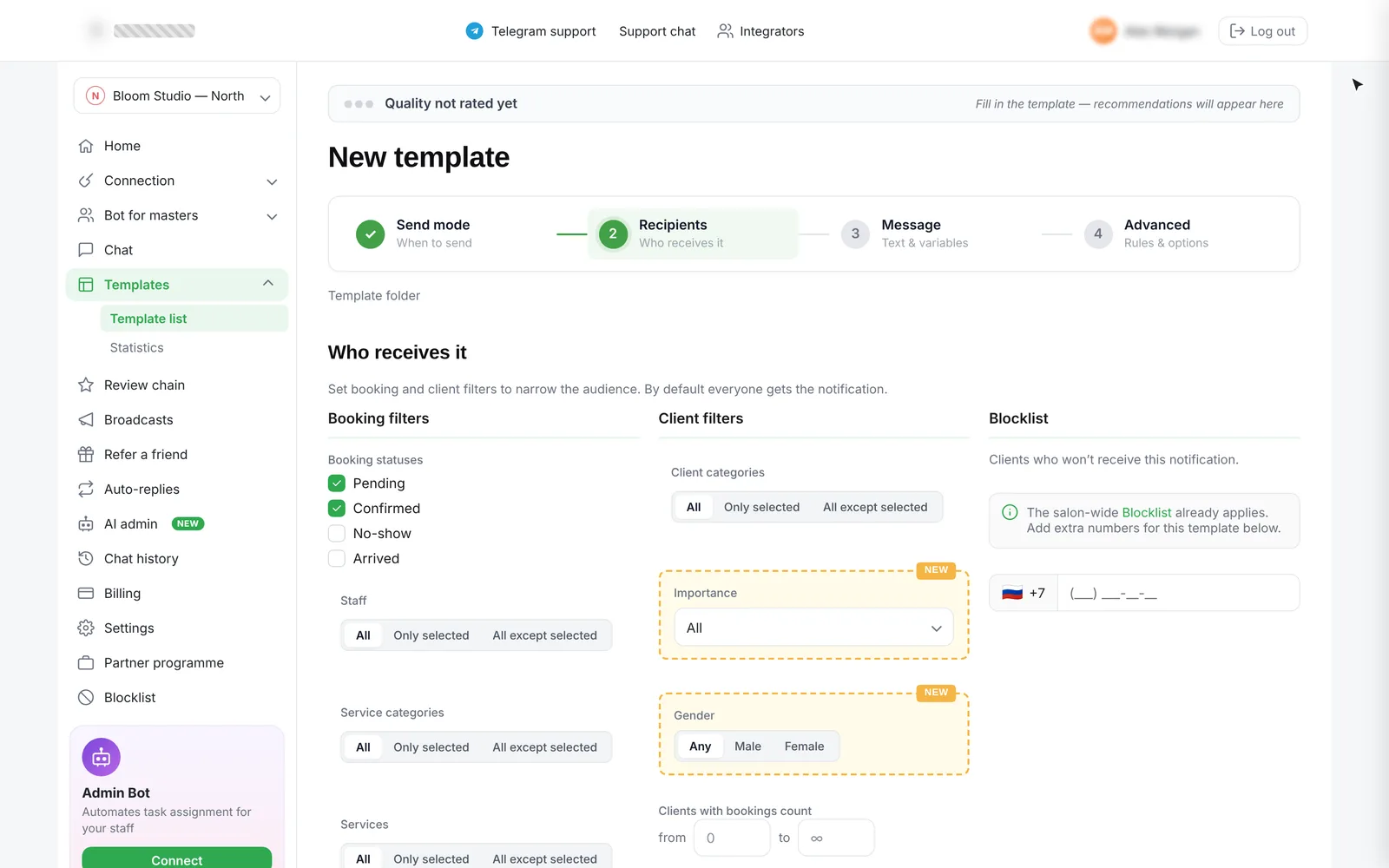
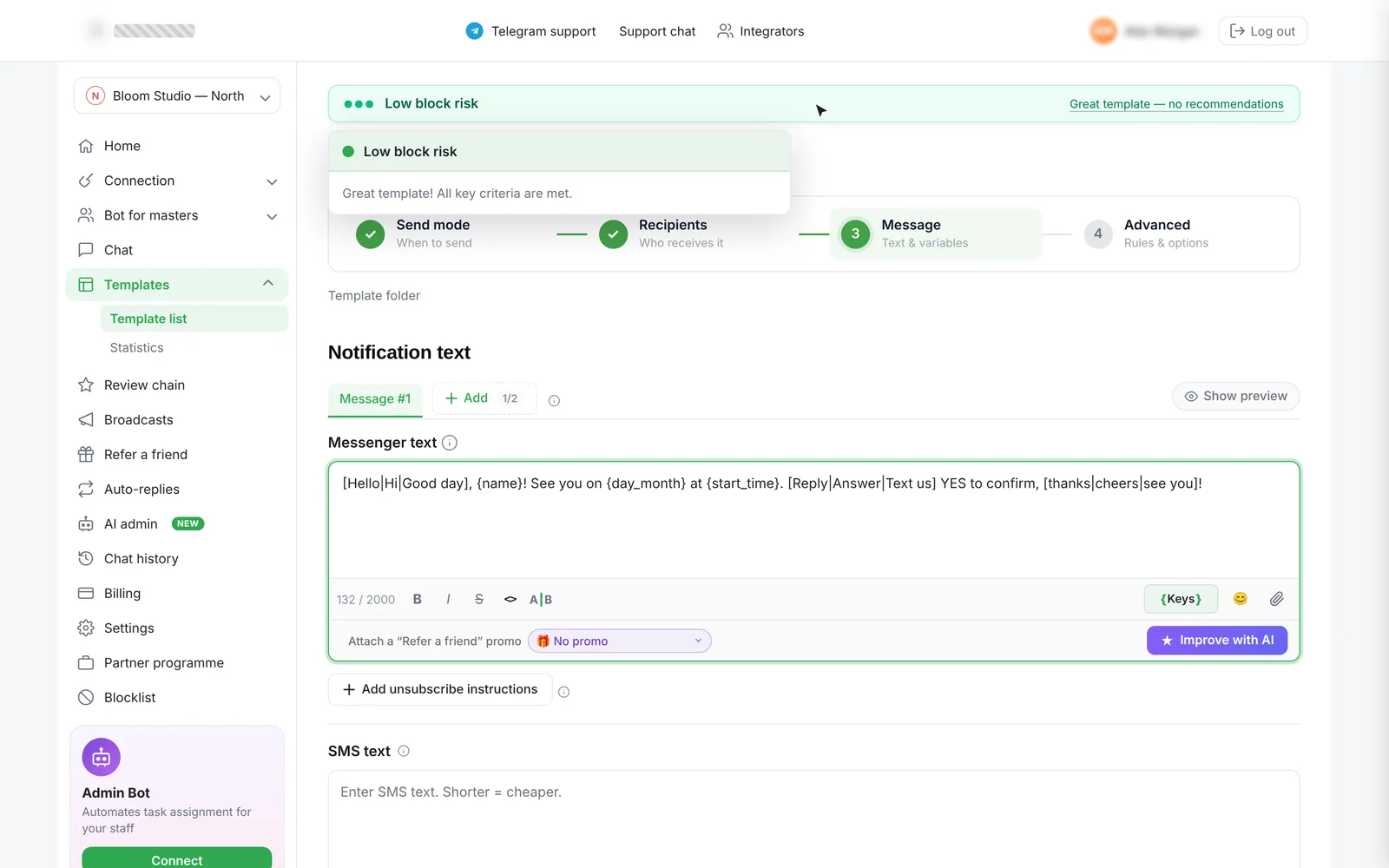
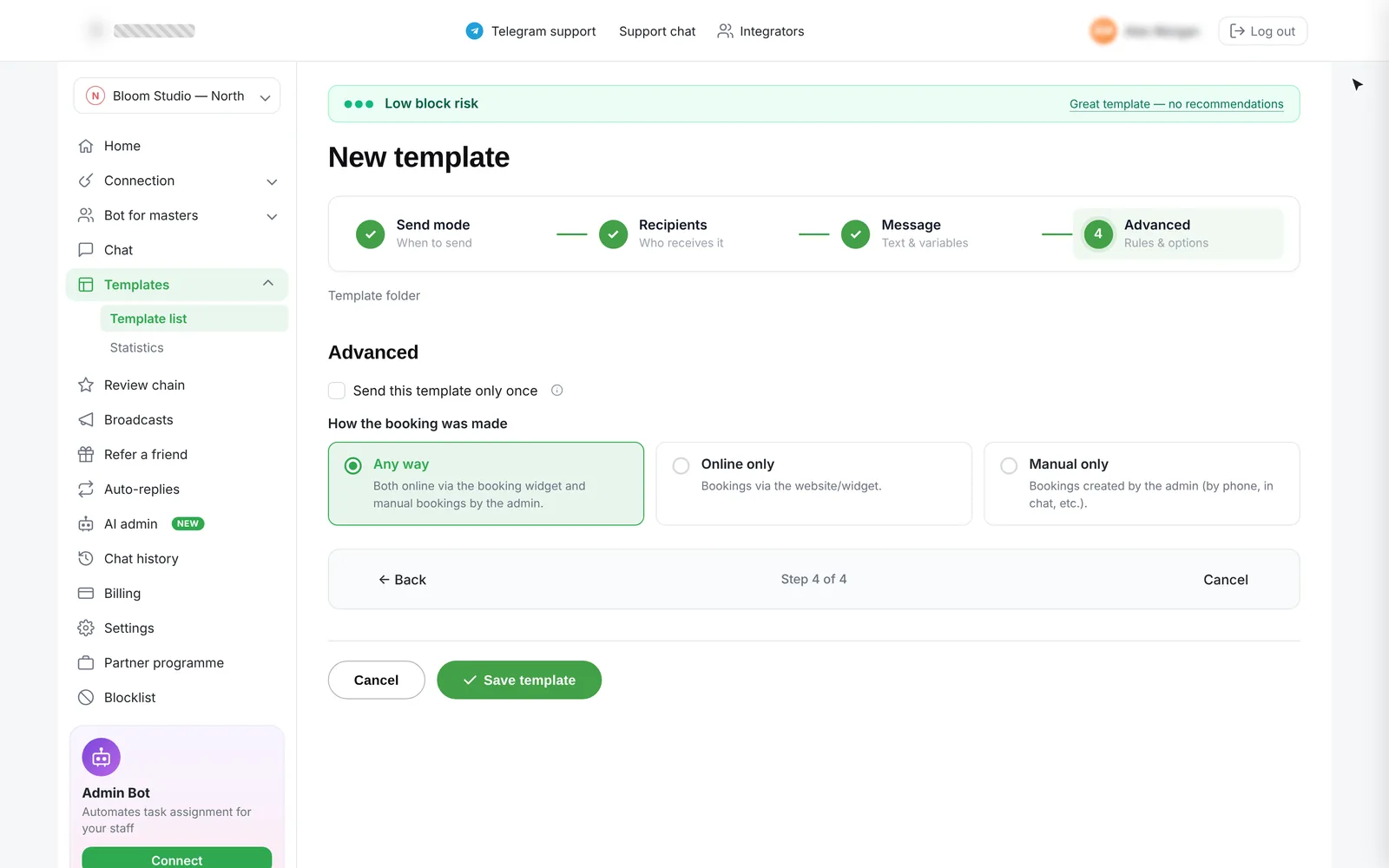
Each step shows only what matters now; “Next” unlocks once the step is valid, so broken templates can’t be saved.
Variables, synonyms, links and round send times are checked as you type — with a plain-language tip for every issue.
One menu to reduce ban risk, fix errors, translate, shorten or change tone — and restore the original anytime.
Filter by block risk, bulk-edit filters, copy templates to other branches — in one pass, not one by one.
Rewrite a message in one click
Salon owners aren’t copywriters. Right inside the editor, AI can reduce ban risk, fix errors, translate into 13 languages, make the text longer or shorter, or change its tone. The result appears as a preview first — apply it, or keep the original. Ten attempts per template keep costs predictable.
One tap changes the voice of a message without touching the keys like {name} or links.
- Menu on first click and nested menus
- Loading and preview with attempts left
- Applied text with an AI outline
- Restore original — inline or as a toast
- Limit reached · 360 / 980 / 1920 layouts
From writing help to chain-wide data
Owners spent too long writing broadcast texts, and chain owners couldn’t compare branches. I designed a light chat assistant with clear scenarios — generate, reply, improve — plus an in-account landing that sells the AI add-on; and a network dashboard with key metrics, charts, filters and per-branch statuses.
An AI that answers clients for the salon
Salons lose bookings at night and on busy days, when no one replies in messengers. I designed the AI admin in the account: it answers clients, offers free slots and creates bookings by itself — and the owner tunes its tone, working hours and knowledge base, then sees the effect instantly in a test chat before going live.
When the AI works, whether it may create or move bookings, how far ahead it searches for slots, a reply delay so clients can finish typing — and how it calls a human into the chat.
Five ready tones or your own, emoji to use, and documents about masters, services and prices — with a storage meter and comments per file.
Numbers the AI never answers, a replies counter with top-ups, and a save bar that reminds you to apply test-chat settings to live chats.
Bookings created 2 450 · 76%
● Created by AI admin 150 · 5%
● Moved by AI admin 62 · 2%
● Cancelled by AI admin
3 267 chats · 67% solved without staff
6 177 suggestions · 70% edited, 23% sent as is
Left: suggested reply in manual mode on mobile — staff send or edit it. Right: statistics show how many bookings the AI created, moved or cancelled.
Sending that doesn’t fail
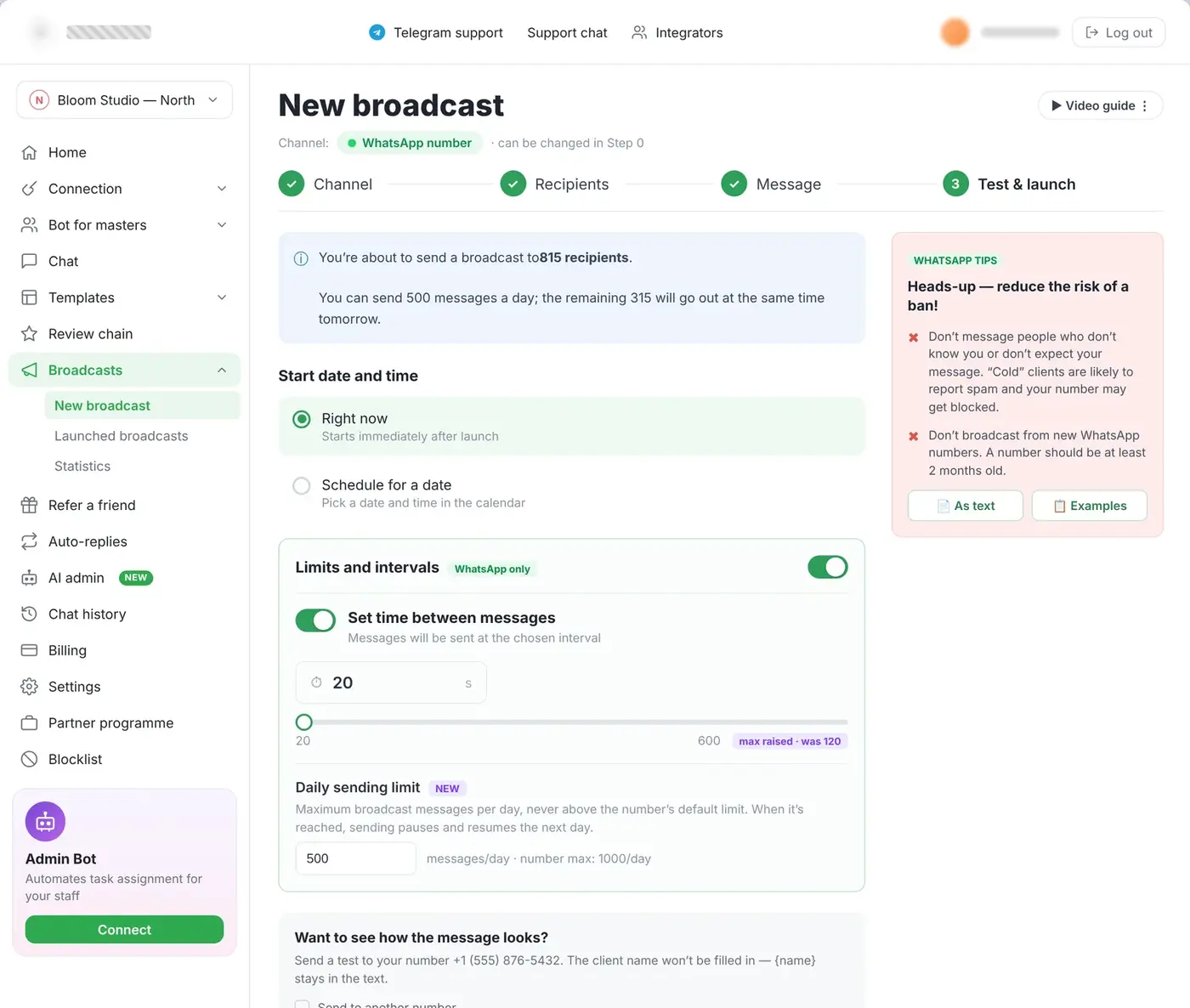
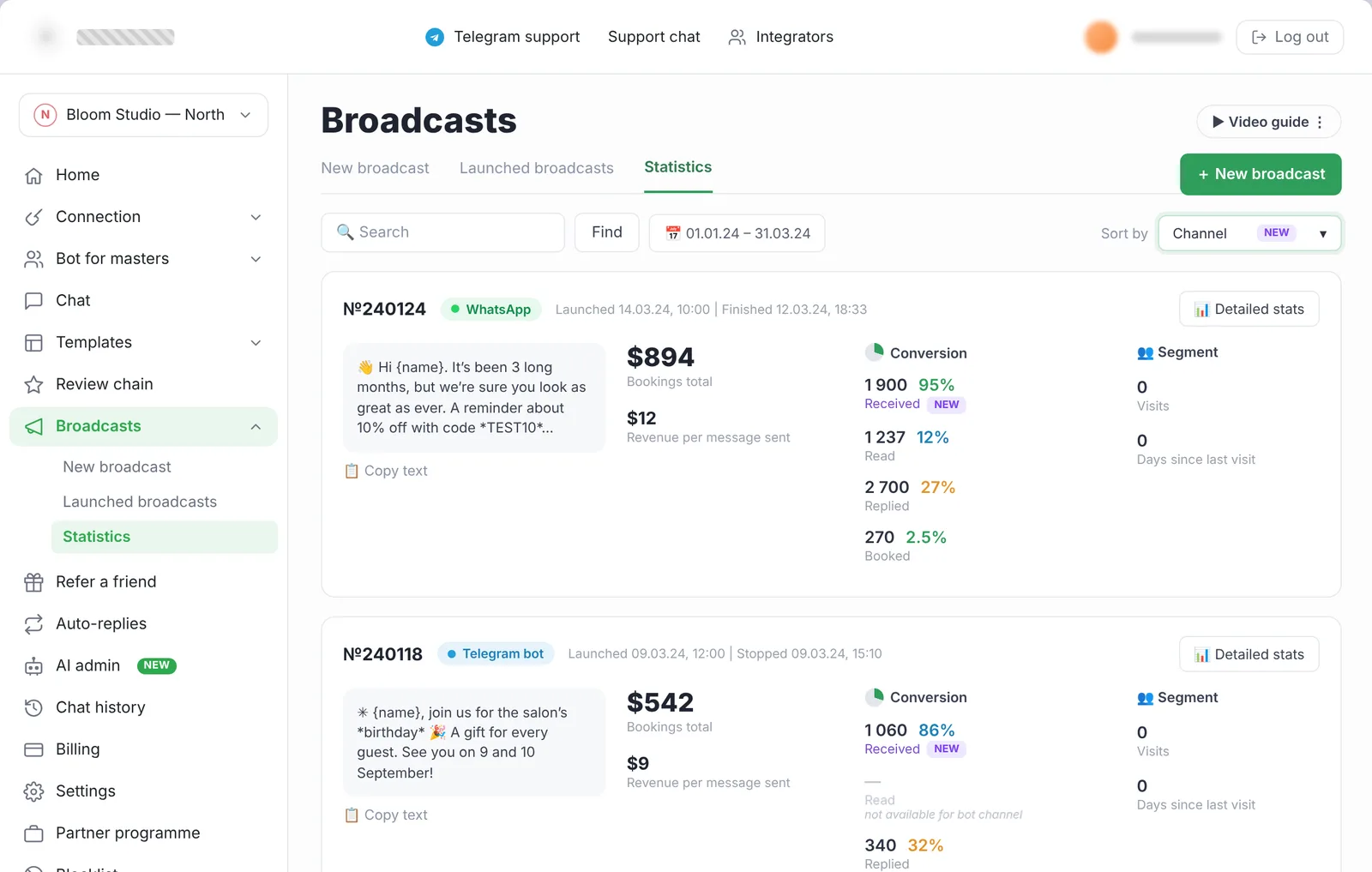
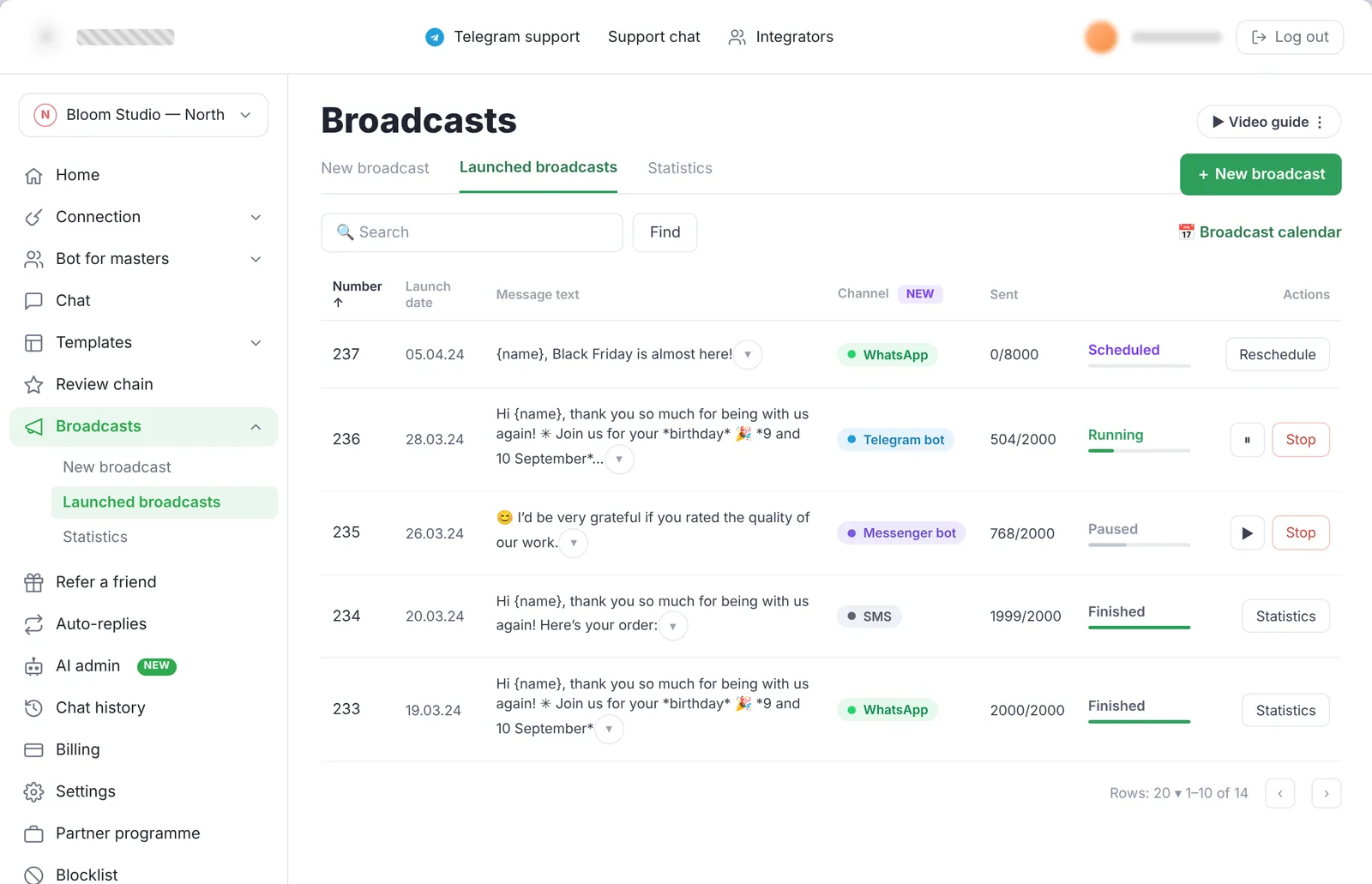
Complex delivery logic across channels caused errors. I built a drag-and-drop channel cascade, simplified adding a channel, added segmentation filters by client status, behaviour and repeat visits — and a scheduling calendar that warns about the daily message limit before you pick a date.
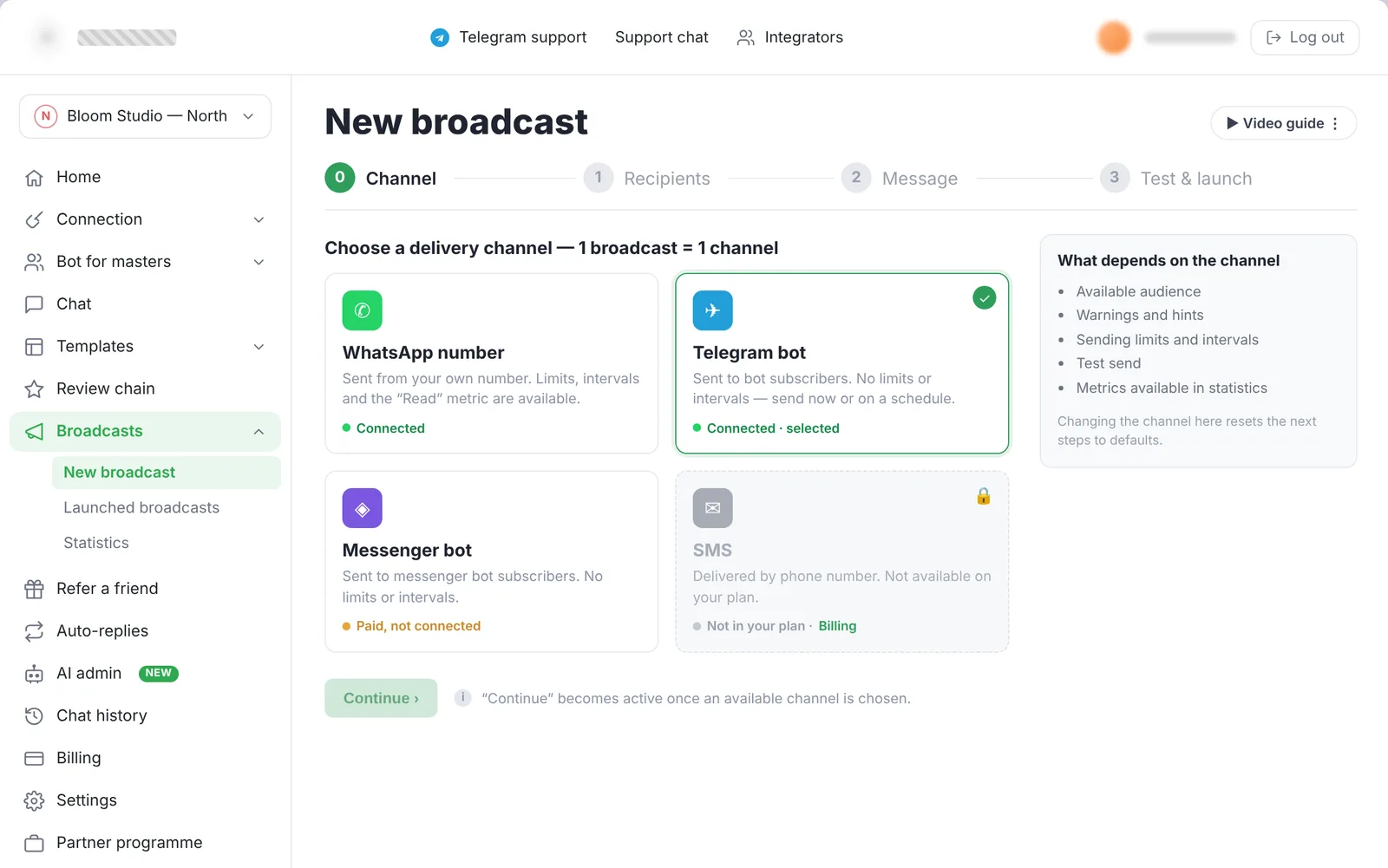
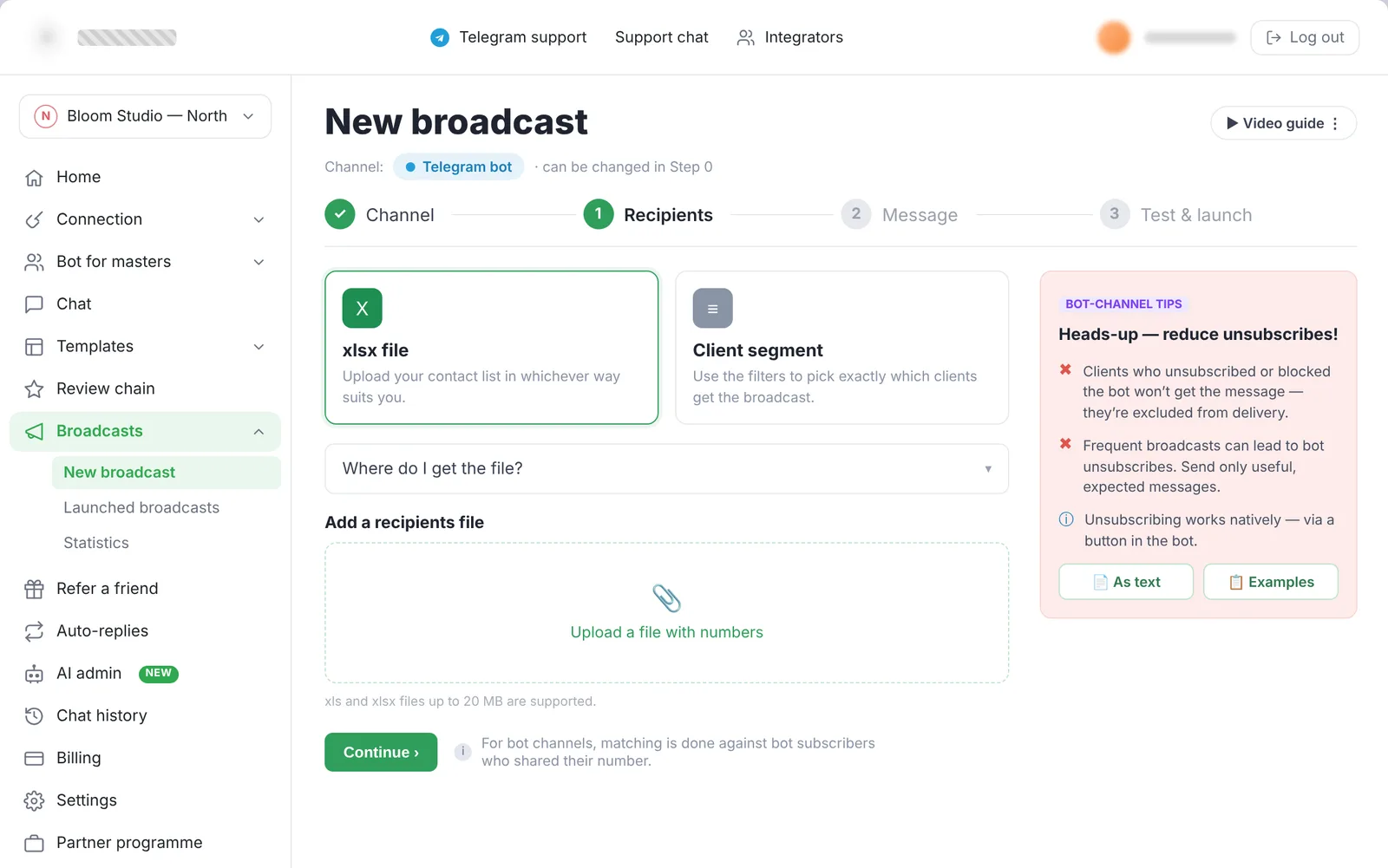
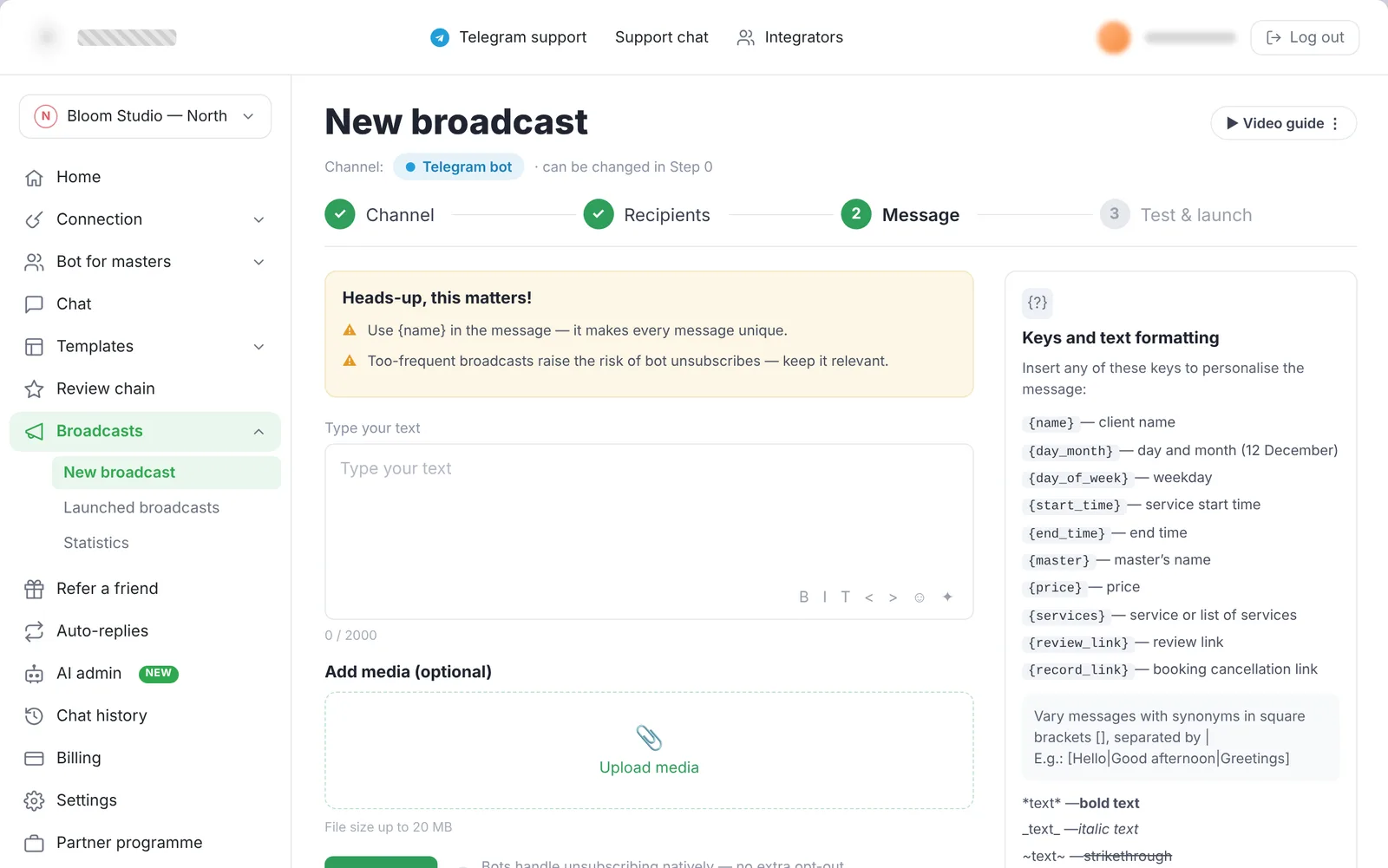
One broadcast, one channel, four steps
Every channel behaves differently: WhatsApp has daily limits and ban risk, bots have unsubscribes. The wizard starts with the channel, so every hint, limit and metric that follows matches it — and the test send happens before launch, not after.
Tasks that set themselves
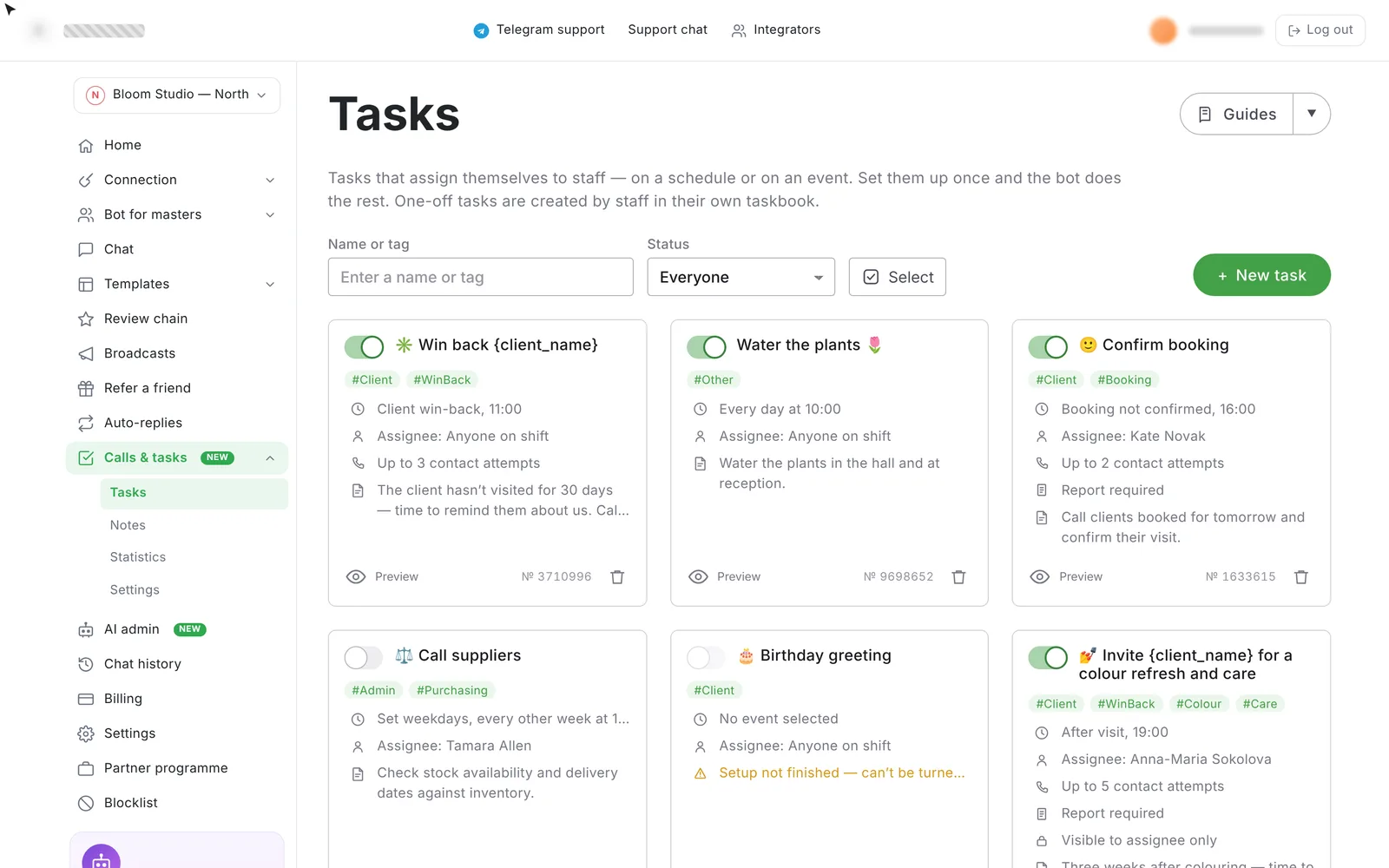
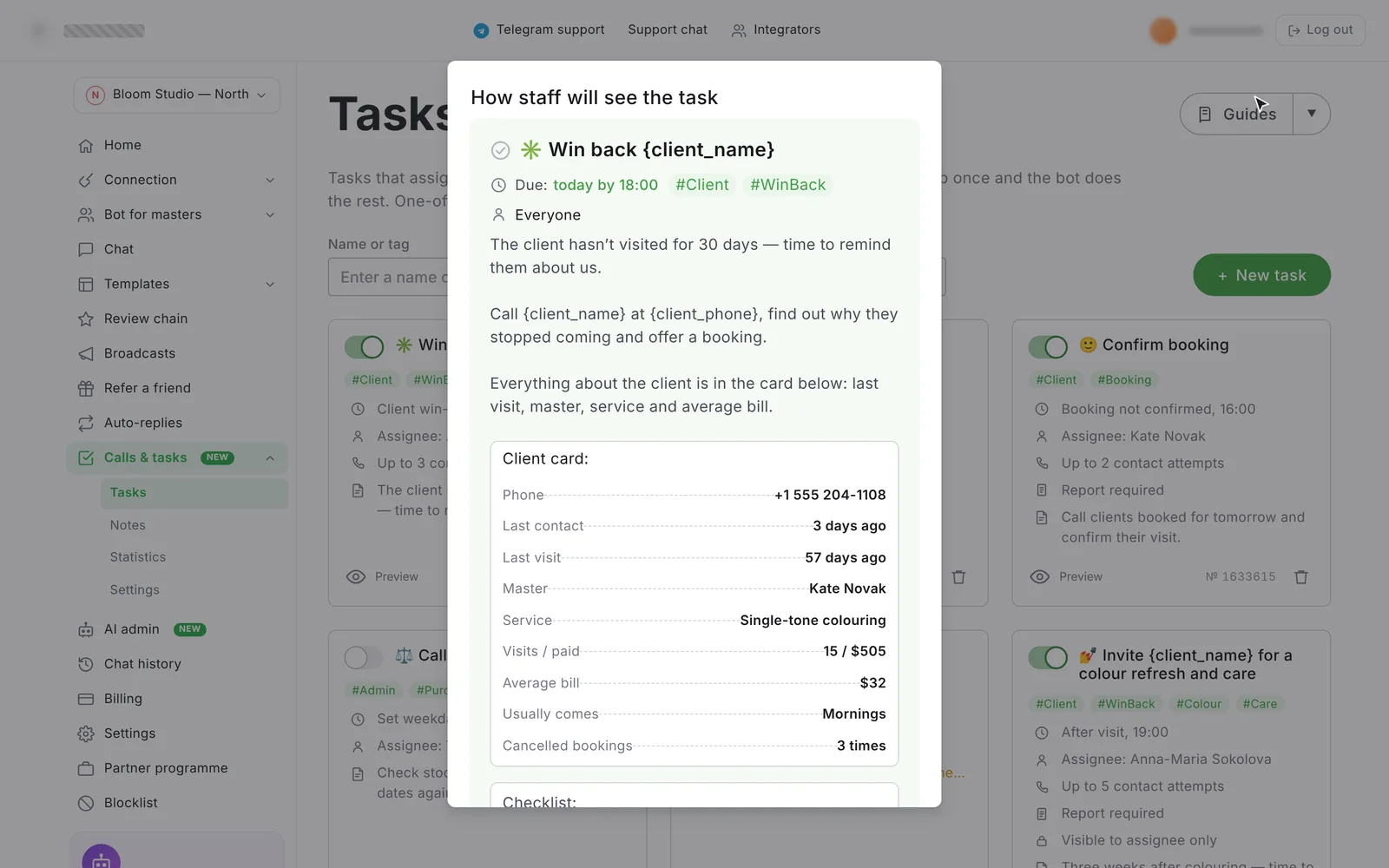
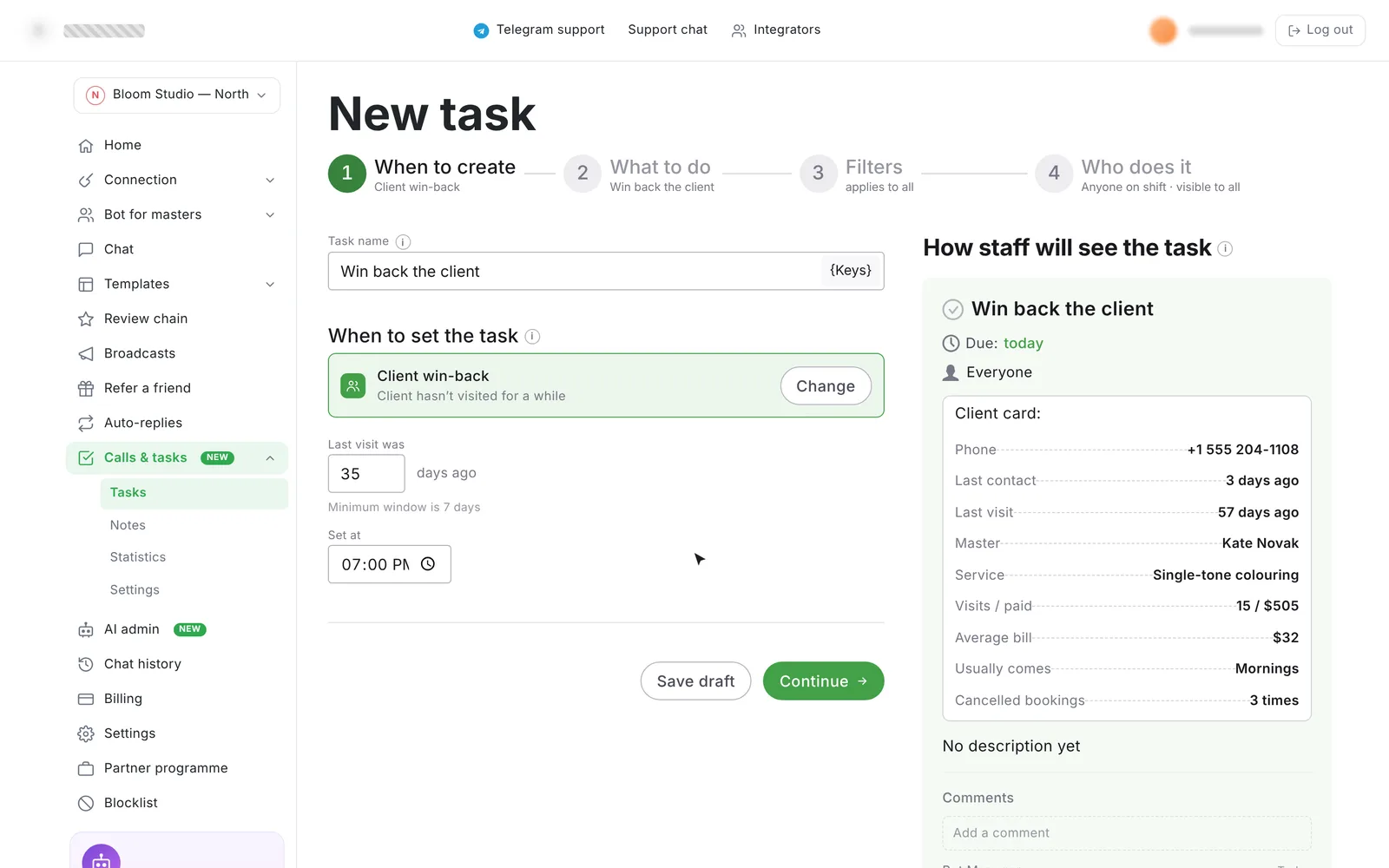
Salon admins kept call lists in notebooks: who to remind, who hasn’t come back, which supplier to chase. I designed Admin Bot — rules that create tasks for staff on a schedule or on an event (“client hasn’t visited for 30 days”), delivered to the staff bot with the client card, a checklist and a required report.
The salon’s numbers, every morning
Owners wanted the business pulse without opening the CRM. I designed a free add-on that sends scheduled reports to Telegram — revenue, masters, calls and tasks — built from ready-made blocks, plus the in-account landing that drives activation.
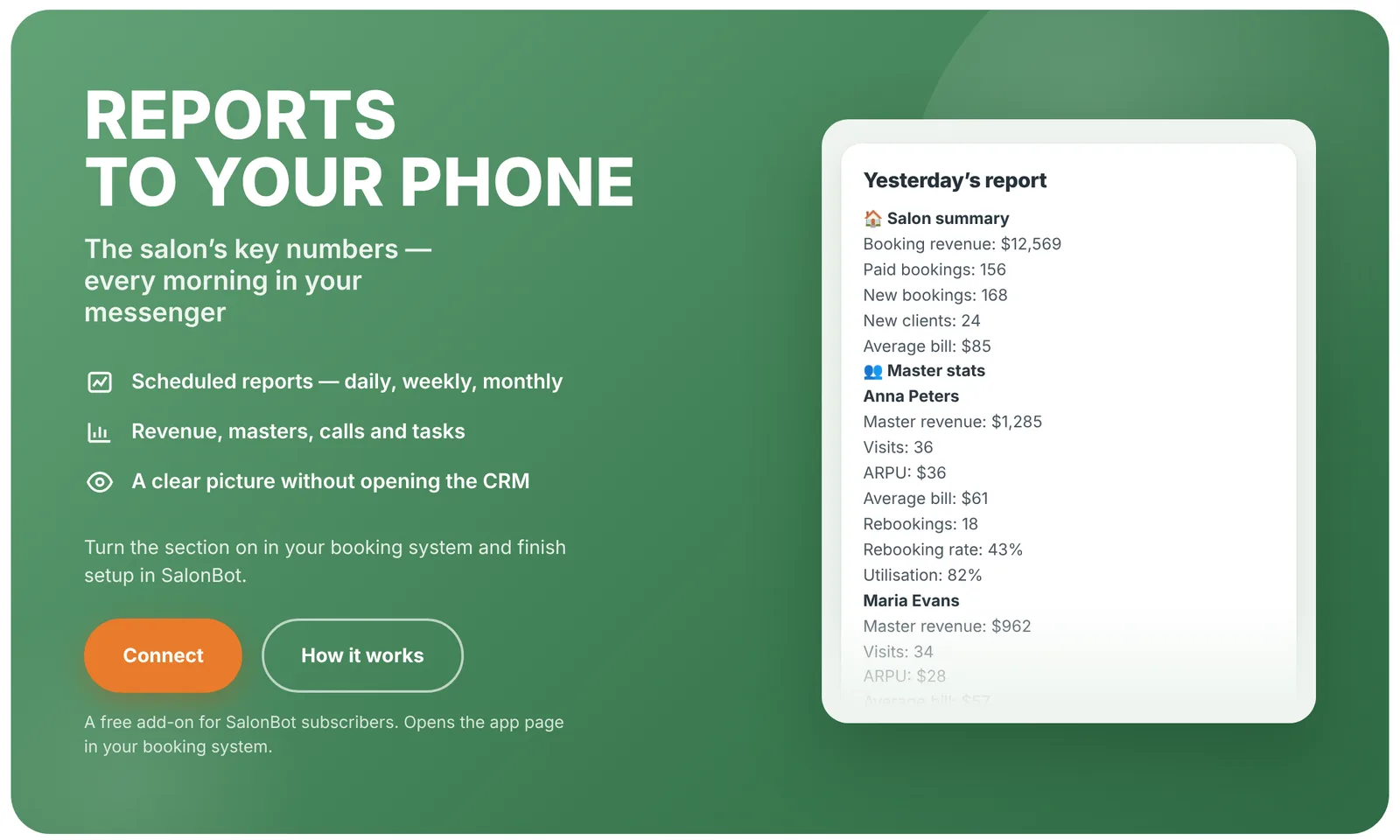
Yesterday’s results at 9:00, or a weekly digest — whenever suits the owner.
Salon, masters, admins — tick the metrics, skip the spreadsheets.
from the in-account landing in the first month.
One system under everything
An in-platform chat with search, statuses, attachments and sorting; a new home dashboard that shows the state of the business on one page; and a purchased design system reworked for the product — responsive layouts, new components, states and tokens.